GarageFiveM garage script · ESX & QBCore

Nexus Garage is a FiveM garage script. A complete garage system for ESX and QBCore, designed to look great and to be managed entirely in game. Nexus Garage gives your players personal, shared, job and public garages for cars, boats and aircraft, a built-in vehicle key system, impounds that pay your jobs, transfers between garages and live mileage. Admins create and edit every garage from an in-game menu, and other scripts plug in through a full set of exports and events.

Works with

Instant delivery to your Cfx.re account · Cfx.re asset escrow · Free updates

For the dopamine addicts

Quick summary · 14 features

Try it live

Nexus Garage interface from the real script

The real interface running with sample data. Nothing you do here touches a server.

Features

A Garage Menu Players Enjoy Using

A Garage Menu Players Enjoy Using

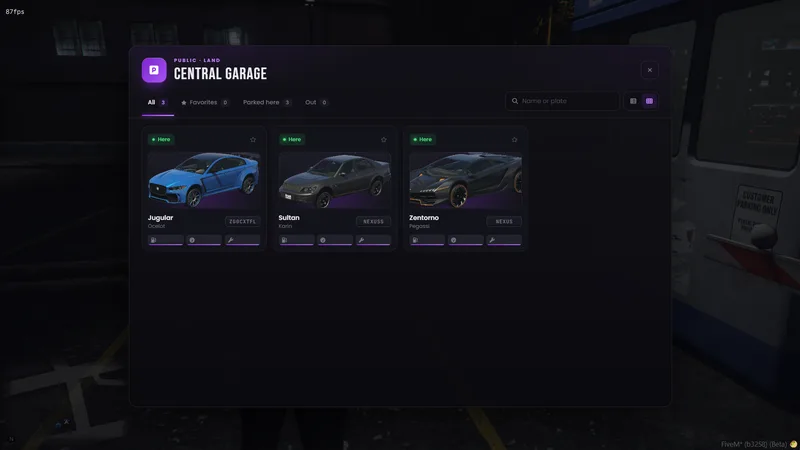
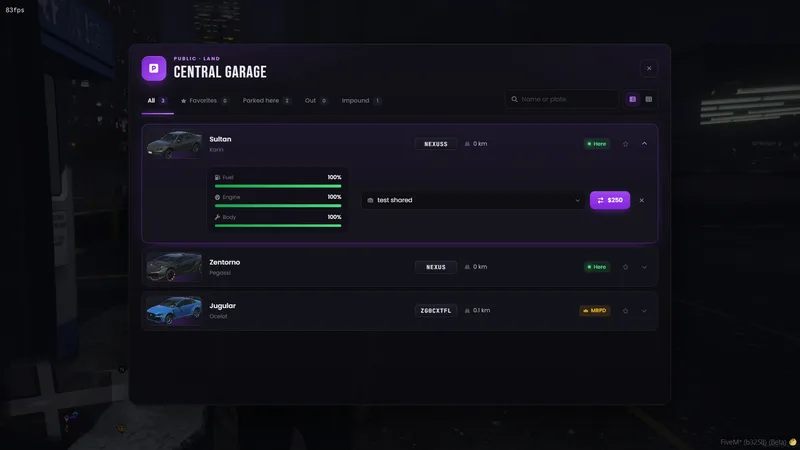
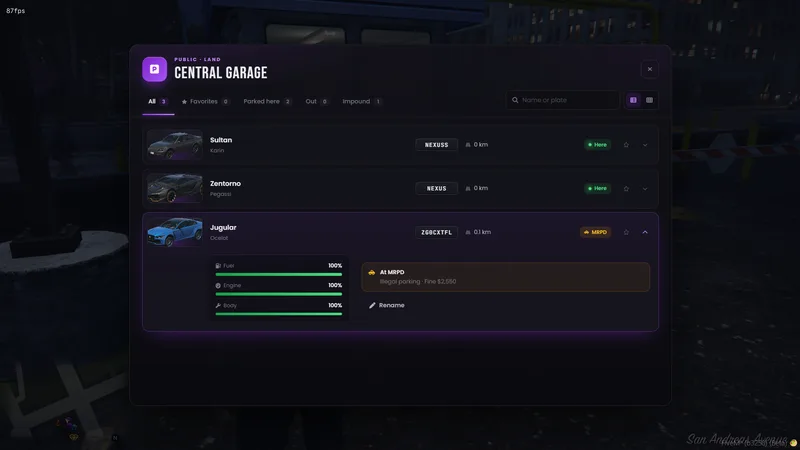
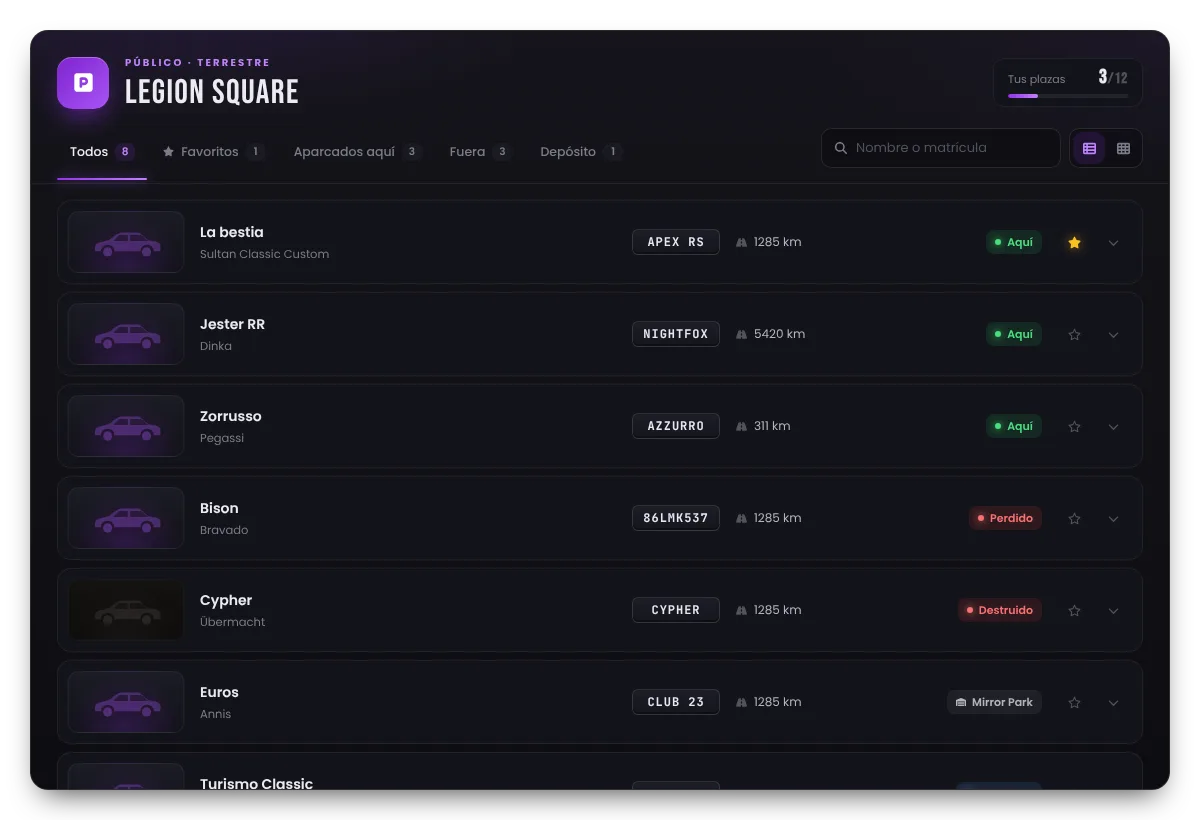
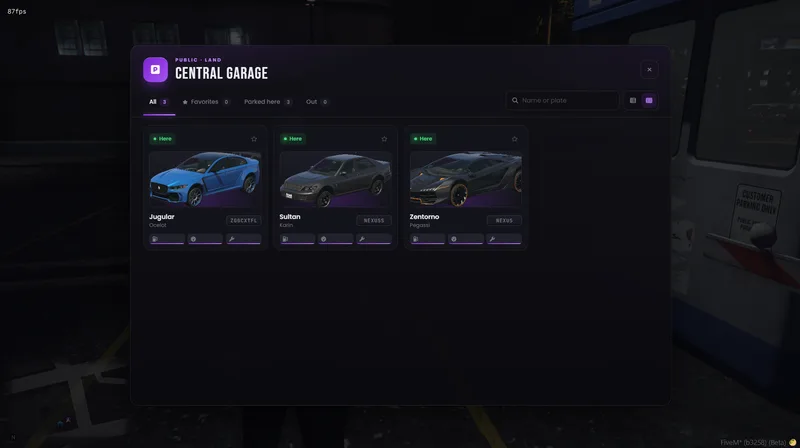
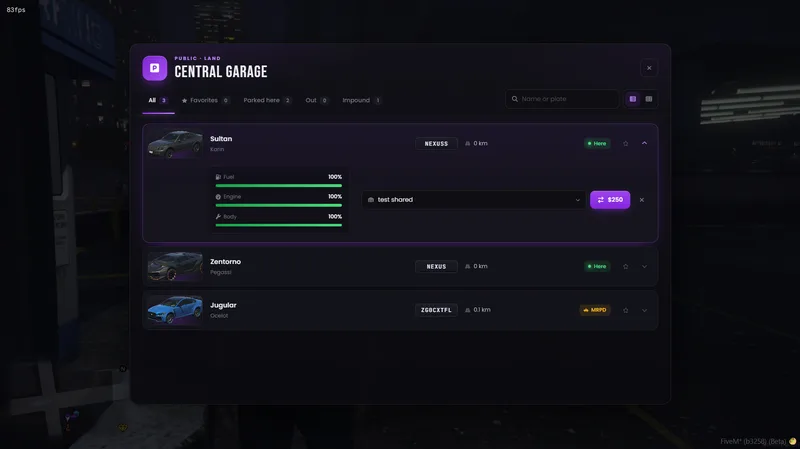
One clean menu for every kind of garage. Players switch between list and grid view, mark favourites, search by name or plate and see each vehicle with its photo, plate, mileage, fuel, engine and body condition. They can rename vehicles, take them out in one click and see the garage spaces they have left. The look is relaxed and modern, with subtle touches of the Nexus purple.
Every Kind of Garage

Every Kind of Garage

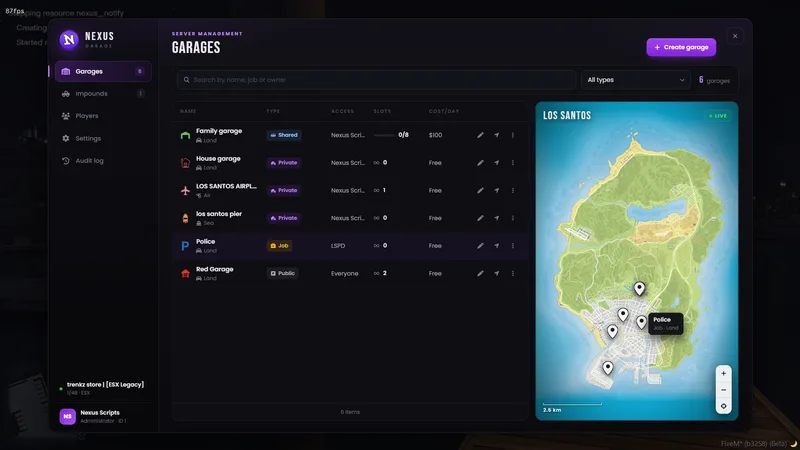
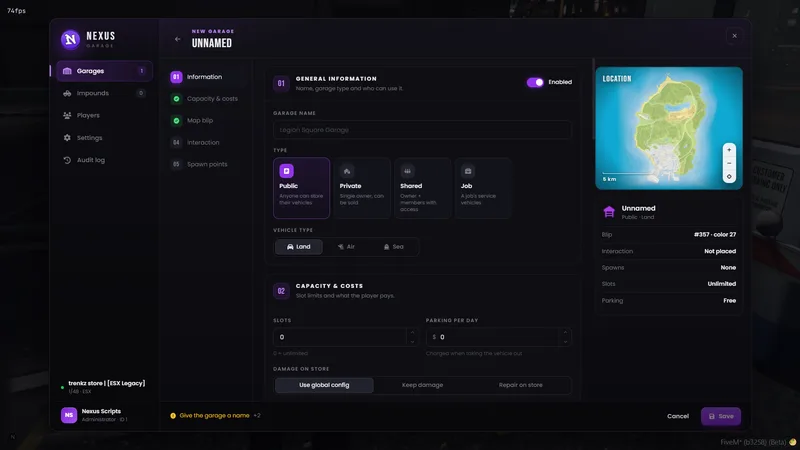
Create public garages anyone can use, personal garages players buy, shared garages, and garages for jobs and gangs. Set a price, a capacity limit, a daily cost and who has access to each one, and decide whether a garage holds cars, boats or aircraft. Several spawn points per garage mean nobody is blocked when one is taken.

Shared Garages

Shared Garages

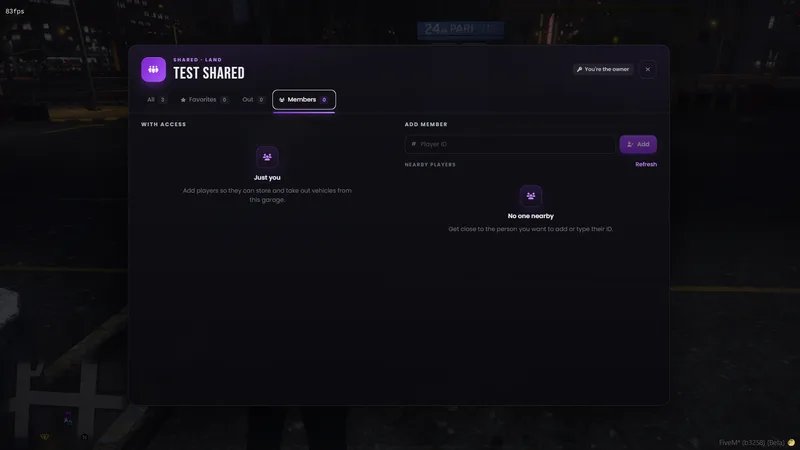
Let players share a garage and the vehicles inside it. Someone with access can take a vehicle out and gets a temporary key limited to that purpose, and the vehicle can only be returned to the same shared garage it came from. The owner stays the owner.

Keys Built In

Keys Built In

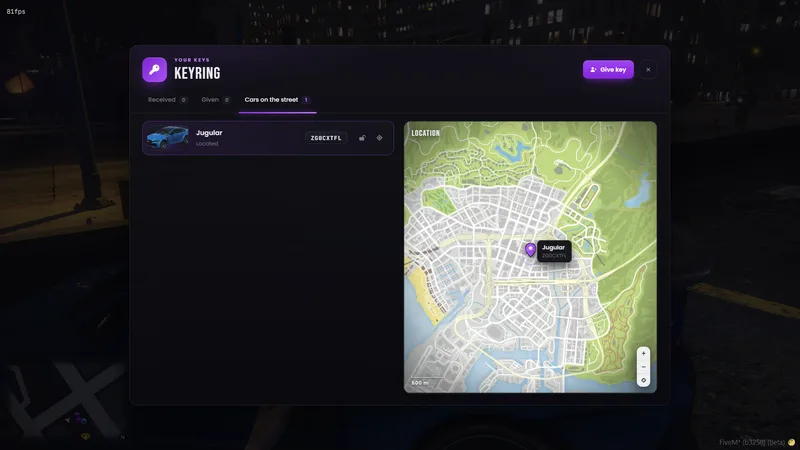
A complete key system is included. Players lock and unlock their vehicles with a key press, and the /llaves menu shows the keys they have received, the keys they have given out and the vehicles they left on the street, with the option to find them on the map. Give temporary keys that expire on restart or permanent keys that are saved to the database, with a limit per vehicle that you control, and take them back at any time. Prefer another key script? Pick it in the config.

Impounds That Pay Your Jobs

Impounds That Pay Your Jobs

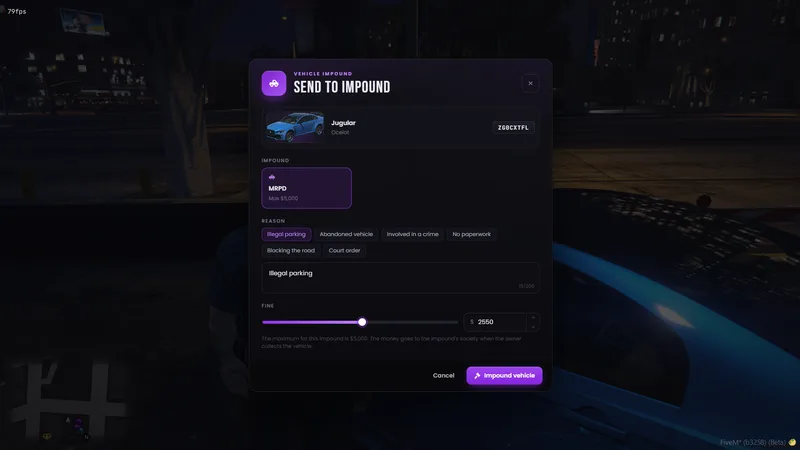
Create impounds and assign each one to a job, like your police. Only people on that job can send a vehicle to the impound, with a reason and a fine. The owner can see where the vehicle is and why, and the money from recovering it goes straight to the job's society account. A fee cap protects players from abuse.

Move Vehicles Between Garages

Move Vehicles Between Garages

Players can send a vehicle to another garage from the menu of the garage they are in, choosing the destination and paying a fee you set. Destroyed vehicles can be recovered for a configurable fee and come back repaired.

Build Garages In Game

Build Garages In Game

Admins manage everything from an in-game menu protected by permissions, with no need to edit files by hand. Fill in the details, then walk to each spot and press a key to save the position of the interaction point and the spawn points. Preview the blip and marker colours before saving, duplicate a garage to reuse its settings, and delete one safely: its vehicles move to the nearest public garage.

Mileage and Vehicle Condition

Mileage and Vehicle Condition

Every vehicle keeps track of the distance it has driven, saved automatically. Choose whether damage is stored when a vehicle is parked, whether the player appears inside the vehicle when taking it out, and whether vehicles spawn locked.

Works With What You Already Use

Works With What You Already Use

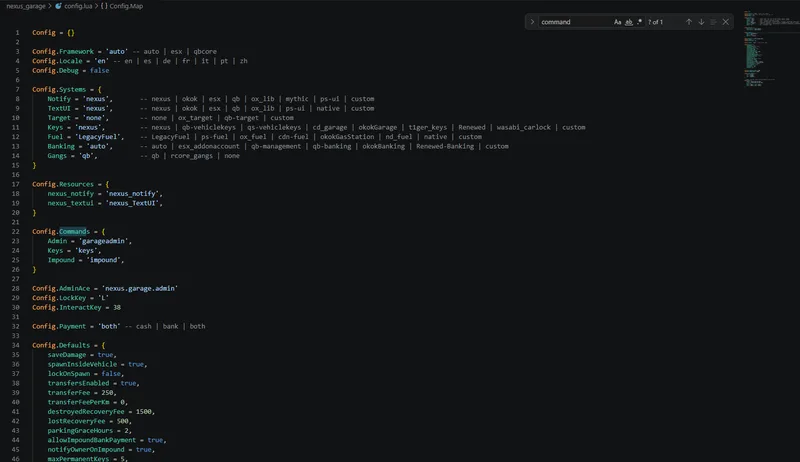
Choose how players open a garage (marker, NPC or target) and plug in the systems you already run from the config: vehicle keys, fuel, notifications, text UI, target, banking and society accounts, and gangs. It works natively with Nexus Notify and Nexus TextUI too, and uses the vehicle tables your framework already has, so no duplicate data.

Plugs Into Housing and Job Creators

Housing scripts and job or gang creators can register their own garages and open the garage menu through exports and events, with dynamic access checks. Developers also get exports to read vehicles, keys and impound data, send a vehicle to the impound, give or remove keys, and transfer or delete garages, all documented with examples.

Make It Yours

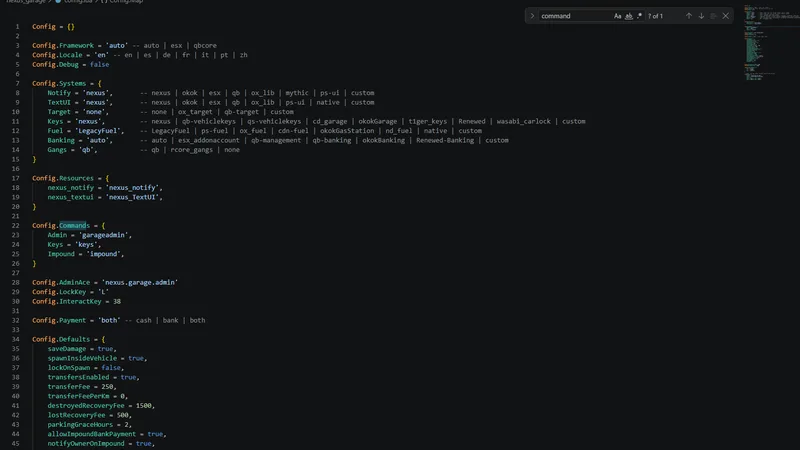
English, Spanish, German, French, Italian, Portuguese and Chinese are included, and the config, texts and functions stay open so you can adjust them. Commands, interaction keys, fees, payment method, mileage unit and currency are all configurable.

Installation

  1. Buy it here and log in with your Cfx.re account at checkout.

  2. Download it from the Cfx.re portal (Granted Assets) and put the nexus_garage folder in your resources.

  3. Start oxmysql and your framework (ESX or QBCore) before nexus_garage. The framework is detected automatically.

  4. Add the admin permission to your server.cfg: add_ace group.admin nexus.garage.admin allow.

  5. Choose your language and the systems you use (keys, fuel, notifications, target, banking and gangs) in config.lua.

  6. Start the resource. Its own tables are created for you on the first start.

  7. Add ensure nexus_garage to your server.cfg and restart.

Full configuration in the documentation.

Requirements

FrameworkESX or QBCore
ProtectionCfx.re asset escrow
SupportDirect from the developer
  • ESX or QBCore (detected automatically)
  • oxmysql
  • Optional: nexus_notify and nexus_TextUI, or your preferred notification, text UI, target, keys, fuel, banking and gang scripts (all selectable from the config)

FAQ

Does it work with ESX and QBCore?

Yes, both. The framework is detected automatically and the script uses the vehicle table your framework already has.

Does it work with housing scripts?

Yes. Housing scripts and job creators can register their garages and open the menu through the included exports and events. Some housing scripts need a small snippet on their side, and the documentation includes examples.

Can I use my own vehicle keys script?

Yes. The built-in key system can be replaced by one of the popular key scripts from the config.

Which vehicles are supported?

Cars, boats and aircraft. For boats and aircraft, place the spawn points somewhere suitable, like water or a large enough area.

How do impounds work?

You create an impound and assign it to a job. Players with that job send vehicles there with a reason and a fine, and the money from recovering them goes to that job's society account.

Can players buy vehicles with it?

No. Nexus Garage manages the vehicles players already own. Buying vehicles is not part of this script.

Do I need to edit files to create garages?

No. Garages and impounds are created and edited from the in-game admin menu.

Is it available in other languages?

Yes: English, Spanish, German, French, Italian, Portuguese and Chinese.

Is the script protected?

Yes, it uses the official FiveM escrow. The config, functions and texts stay open so you can customise them.

More scripts

All FiveM scriptsFiveM ESX scriptsFiveM QBCore scripts

Live demo · live demo

Real interface code running with sample data. Nothing you do here touches a server.