

• STANDALONE

NotifyFiveM notification script · Standalone

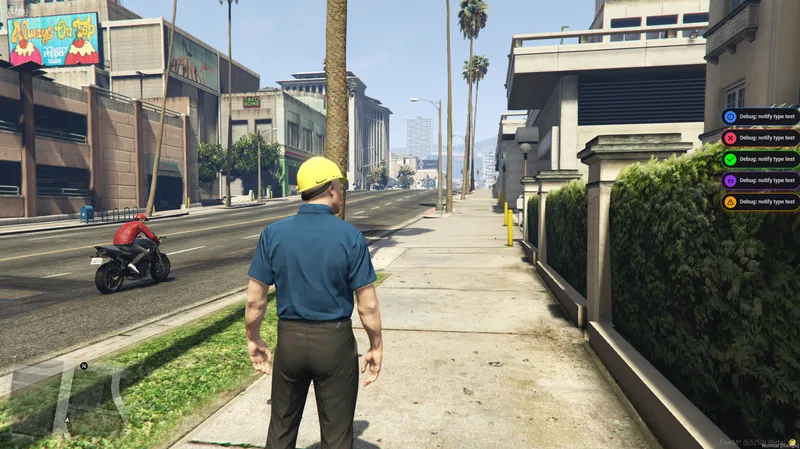
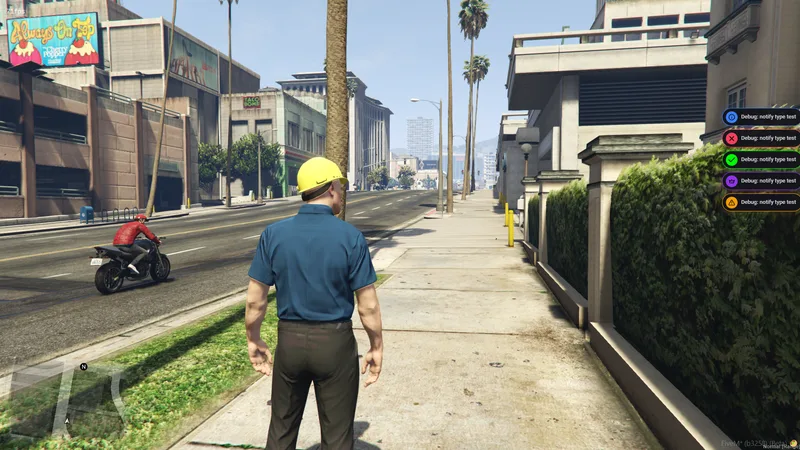
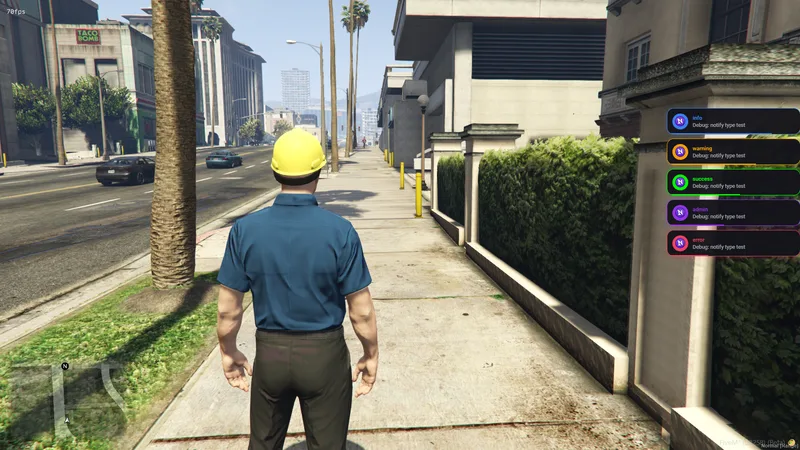
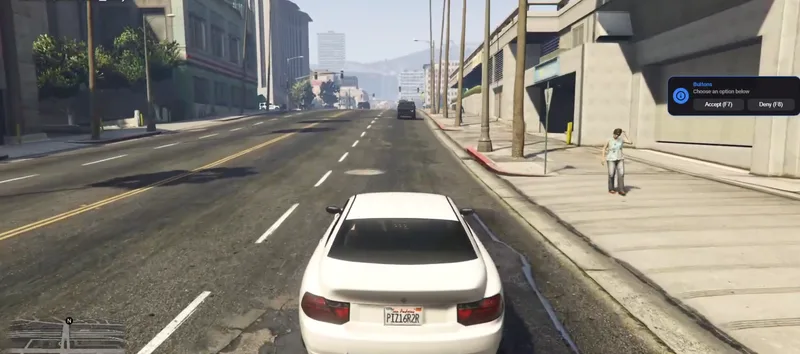
Nexus Notify is a FiveM notification script. Give your server notifications that look great and actually do something. Nexus Notify lets every player place and size notifications wherever they like, lets you design as many styles as you want, and lets your scripts ask players questions they answer with a single key press: "Accept (F7)" or "Deny (F8)", no cursor and no menu. Standalone, lightweight and ready for any framework.

Works with

Instant delivery to your Cfx.re account · Cfx.re asset escrow · Free updates

For the dopamine addicts

Quick summary · 11 features

Features

Answer With One Key

Answer With One Key

Add buttons with keybinds to any notification. Job offers, invites, calls, trades: the player sees "Accept (F7)" on screen and just presses the key while driving or walking. The action runs and the notification closes on its own. More than 90 keys to choose from, and buttons can also fire your own client events with any parameters you need.
Players Choose Where

Players Choose Where

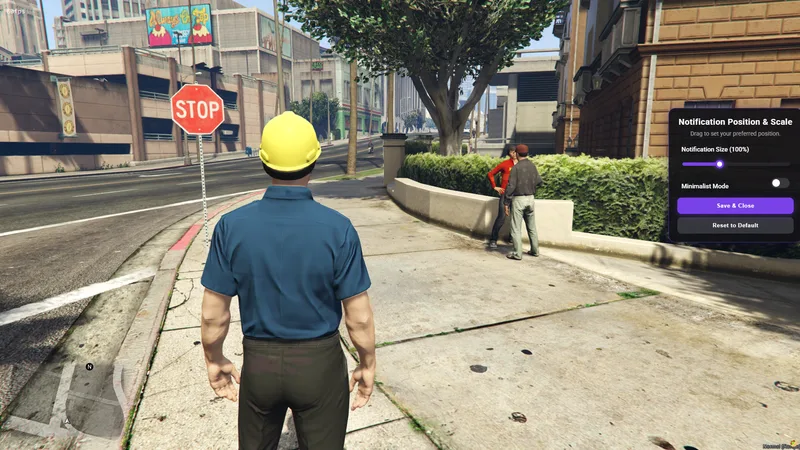
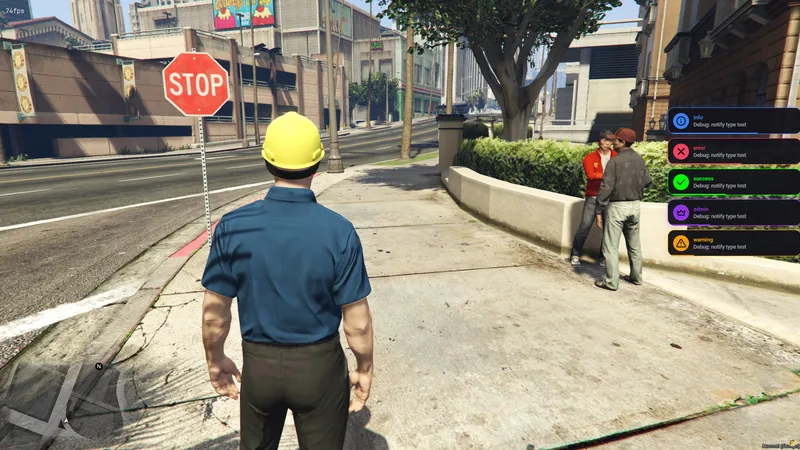
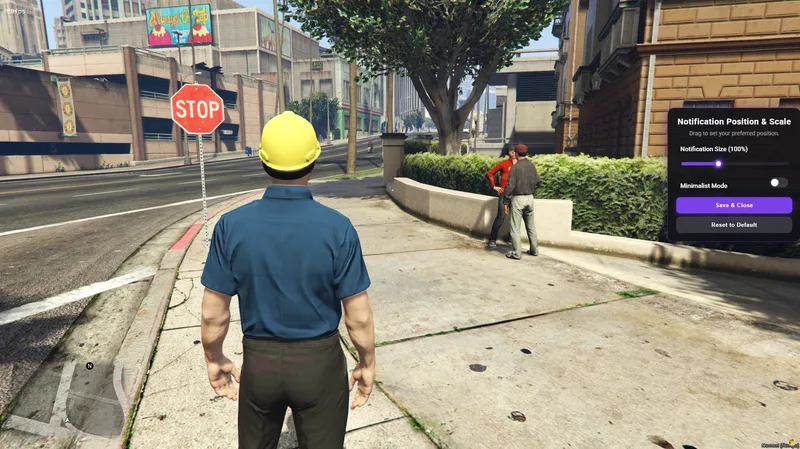
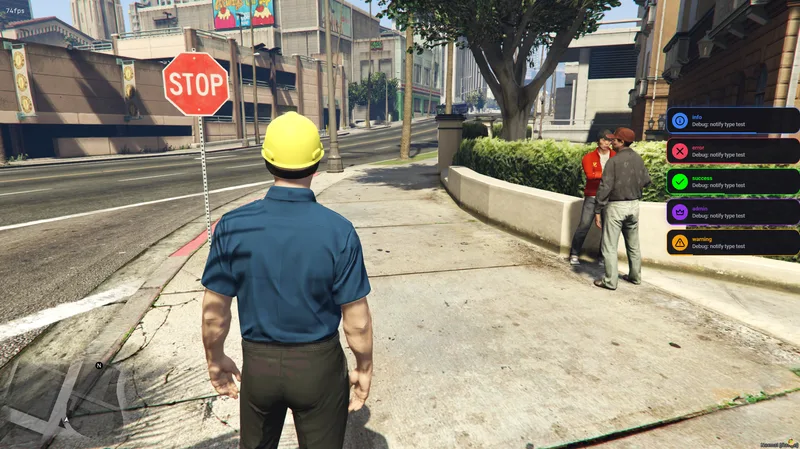
With one command each player can drag the notifications anywhere on the screen and make them bigger or smaller. Their choice is saved on their own PC and remembered every time they join, with a reset button to go back to your default. A preview command shows one notification of each type so players can see exactly where they will appear.

Your Style, Unlimited Types

Your Style, Unlimited Types

Info, success, warning, error and admin come ready to use, and you can add as many types as you want with your own colours, backgrounds, glow and icons. Use your server logo instead of icons and pick your own sound for each type, or turn sounds off completely.

Notifications That Stay

Notifications That Stay

Show messages that stay on screen until your script removes them, and update their text live. Perfect for progress, timers, robberies or anything that changes over time.

Full or Minimalist

Full or Minimalist

Choose between the full card design and a compact minimalist look, and decide if players can switch between them themselves.

Rich Text

Rich Text

Colour your messages with simple colour tags and use bold and italic inside any notification, so the important part of a message stands out. You can also use the logo of your server.

Works With Everything

Fully standalone: ESX, QBCore, QBox, vRP or your own framework. Call it from the client or from the server, send to one player or to the whole server, and plug it into any script that supports custom notifications. The key listener sleeps whenever no keybind notification is on screen, so it uses almost no resources.

Installation

  1. Buy it here and log in with your Cfx.re account at checkout.

  2. Download it from the Cfx.re portal (Granted Assets) and put the nexus_notify folder in your resources.

  3. Put the nexus_notify folder in your resources. Keep the folder name exactly as it is.

  4. Add ensure nexus_notify to your server.cfg, before any resource that uses it.

  5. Adjust the default position, scale, sounds and notification types in config.lua.

Full configuration in the documentation.

Requirements

FrameworkStandalone, no framework needed
ProtectionCfx.re asset escrow
SupportDirect from the developer
  • No dependencies: works standalone on any framework
  • No database required
  • OneSync not required

FAQ

Does it work with my framework?

Yes. It is standalone, so it works with ESX, QBCore, QBox, vRP or any custom framework.

How do the keybind buttons work?

Your script adds buttons to a notification and gives each one a key. The key is shown on the button, and when the player presses it the action runs and the notification closes. No mouse or menu needed.

Will players lose their notification position?

No. Position, size and style are saved on each player's PC and loaded every time they join.

Can I create my own notification types?

Yes, as many as you want, each with its own colours, icon and sound, right from the config file.

Can I use my own logo?

Yes. Replace the logo file and it is shown instead of the type icons.

Can I send notifications from the server?

Yes, to a single player or to everyone at once, with the same options as on the client.

Does it affect performance?

No. It only listens for keys while a notification with keybinds is on screen, and sleeps the rest of the time.

Is the script protected?

Yes, it uses the official FiveM escrow. The config, icons, sounds and the whole interface stay open for you to edit.

More scripts

All FiveM scriptsFiveM ESX scriptsFiveM QBCore scripts